Features
Everything WISMO keeps track of, so you don’t have to
WISMO is an order app for iPhone and Android that keeps a small business’s orders, due dates, payments and customers in one place, and gives every order a tracking link the customer can check themselves. It’s built around the way you already work: an order arrives as a conversation, you make the thing, the customer wants to know how it’s going, and you want to get paid. Here’s what helps with each part.
Know what needs doing
Orders and due dates
Stop searching through old messages. Every order, with everything about it, in one place.
Fill an order from a message
Paste a customer’s message, choose a chat screenshot, or share it to WISMO. The customer, items, price and due date fill in, and you check them before you save.
Every order in one list
Customer, what they ordered, when it’s due and what they’ve paid, all on one card you can read in seconds.
Several items in one order
A cake and a dozen cupcakes, or three alterations. Each has its own quantity and price, and they add up to the total.
Your own order stages
Rename the steps between New and Completed, like “Fabric received”, “Stitching” or “Fitting”. You can have up to 12. Your customer sees your words.
Private voice notes
Hold to record a note on an order, like on WhatsApp. Only you can hear it. Your customer never sees or hears your voice notes.
Calendar of due dates
See the week at a glance. Orders that slipped past their date are carried forward and marked overdue.
Reminders at your local time
A nudge the morning before something is due, a note about unpaid orders, and an evening summary.
Tags and filters
Tag orders as Urgent, VIP, Repeat and more. Filter by status, tag or item to find any order fast.
Know what’s been paid
Payments, deposits and what’s still owed
See who still owes you money without scrolling back through chats or bank apps.
Deposits and part-payments
Record each payment when it arrives, by cash, bank transfer, card or another way. WISMO keeps the running total.
See who still owes you
Orders show paid, part-paid or unpaid at a glance, and each customer’s page shows what’s outstanding.
Invoices by email
Send a clean invoice to your customer from the order, itemised and in your currency.
Your currency
Over 30 currencies to pick from, and any other one works too. Sellers use WISMO around the world.
Export to CSV
Take your orders into a spreadsheet or to your accountant whenever you like.
Stats and profit by item
Revenue collected, orders completed, and your busiest days. If you add costs, you also see which items make you the most money.
Know your customers
Customer details, kept with their orders
Your regular customers, what they like and what they owe, without a separate address book.
A page for every customer
Everything they’ve ordered, what they’ve spent, what’s in progress and anything still owed.
Autofill as you type
Start typing a returning customer’s name and their phone and details fill themselves in.
Follow-up reminders
Set a reminder to contact a customer again, before a birthday, a season or their next usual order.
Get in touch in one tap
Call, email or open their Instagram straight from their page.
Keep customers updated
A link your customer can check any time
No app for your customer. Send them the link on WhatsApp, Instagram, SMS or email.
A tracking link for every order
Your customer opens it in any browser. No app to download and no account to create.
Progress notes on a timeline
Every status change and note you add shows on their page, newest first.
Know when they’ve looked
See how many times a customer has opened their link, before you send another message.
Photos on updatesPro
Show your work as it happens: the sketch, the fitting and the finished piece.
Automatic customer emailsPro
Add their email and they hear about every status change and update without you lifting a finger.
Your brand, not oursPro
Your business name and logo on every page. Pro removes the “Powered by WISMO” line from your tracking and store pages.

Grow your business
Catalog, stock and your own store page
Show people what you offer, keep count of what you have, and turn enquiries into orders. There is no cart or checkout. The store page starts the conversation, and you agree the details together.
Catalog
Save what you sell once, with photos and prices or “price on request”. Then add it to an order in one tap.
Stock counts
Turn on stock for an item: it goes down as you take orders, comes back on cancellations, and warns you when it’s low.
Your own store page
A page at yourname.wismo.live where customers browse what you offer and send an enquiry.
Enquiries inbox
See every enquiry, call or WhatsApp the customer, then accept it into an order or decline it.
Welcome to our store
Maya Jewelry
Handmade silver, made to order in Austin.
Find something for you
What we offer 3
Screenshots
What WISMO looks like
These are real screens from the WISMO app and the pages your customers open. They come from a demo account with made-up orders.
Order list
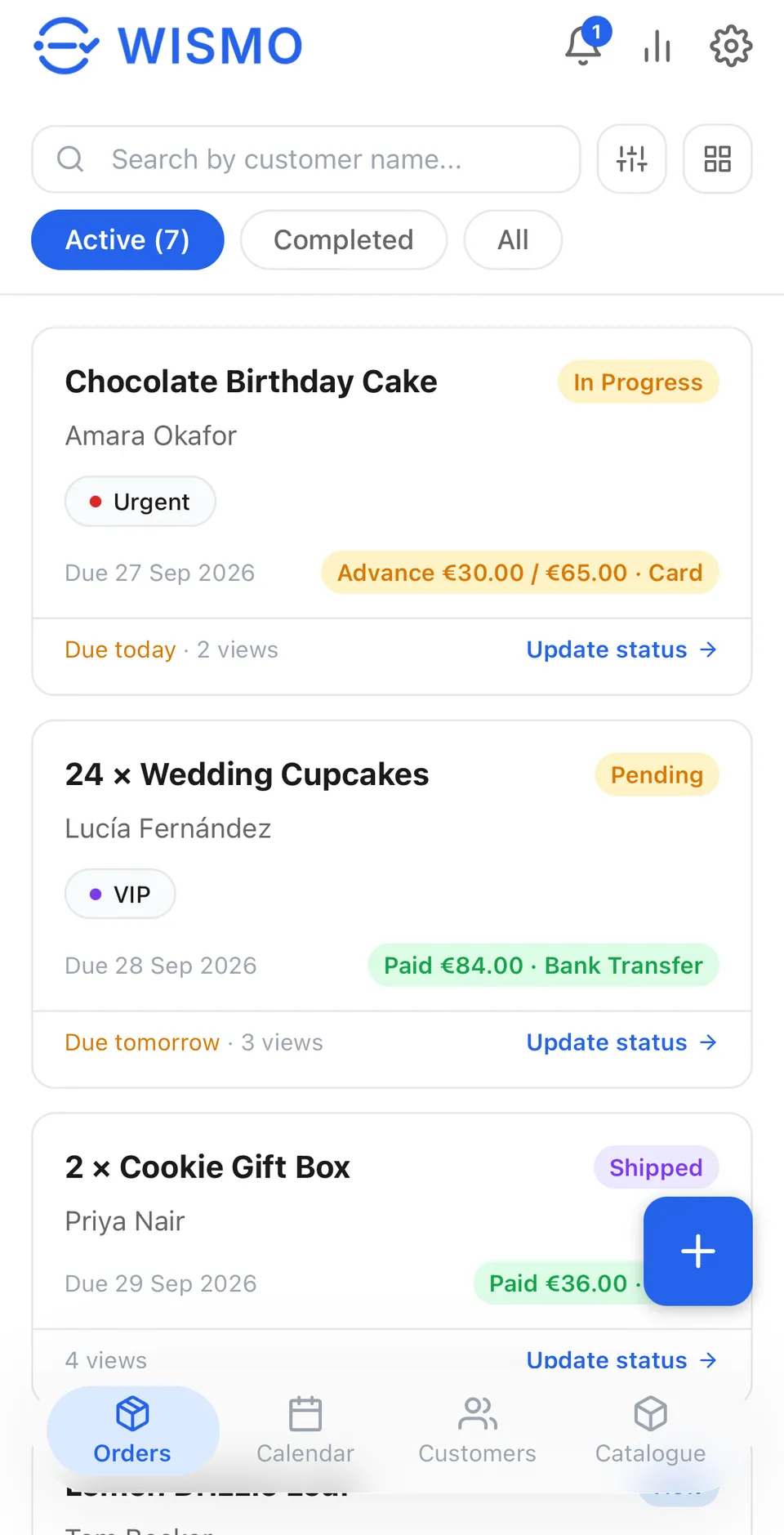
See every order in one list. Each one shows its stage, due date and what is paid. Customer tracking page
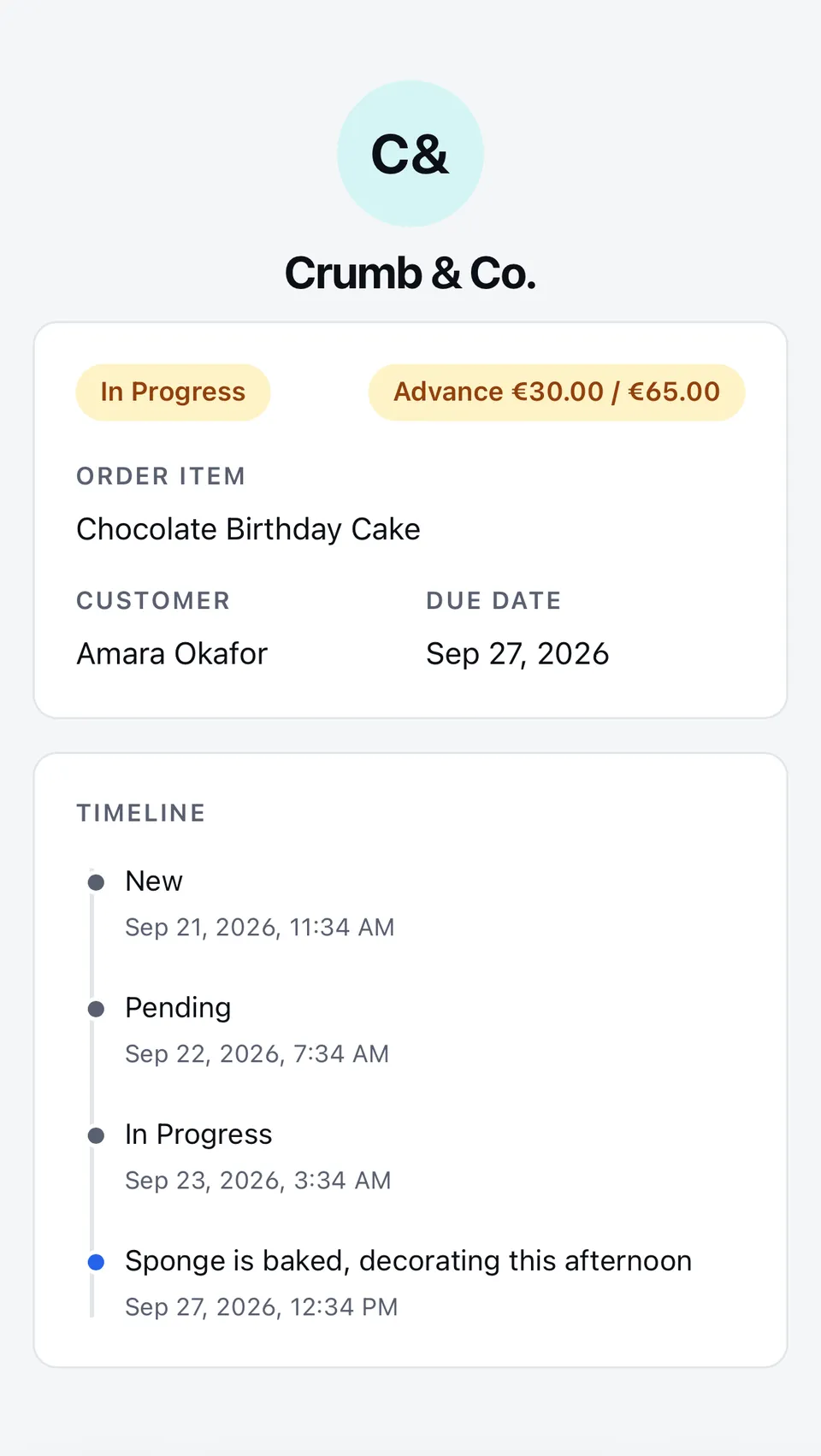
Your customer opens one link to see the order. They do not need an app or an account. Store page
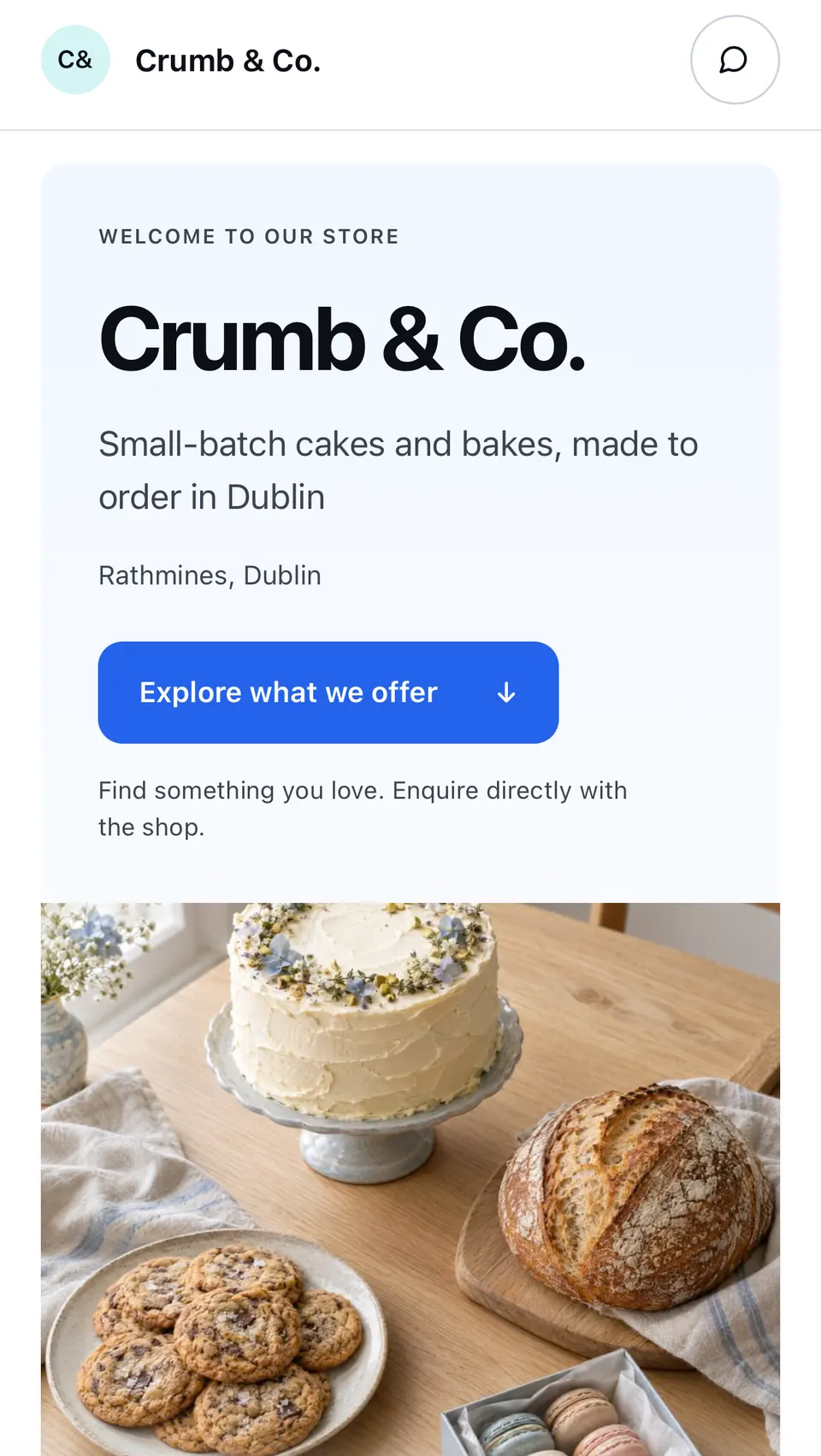
Every seller gets a free store page. Customers look at what you sell and send you an enquiry. Due date calendar
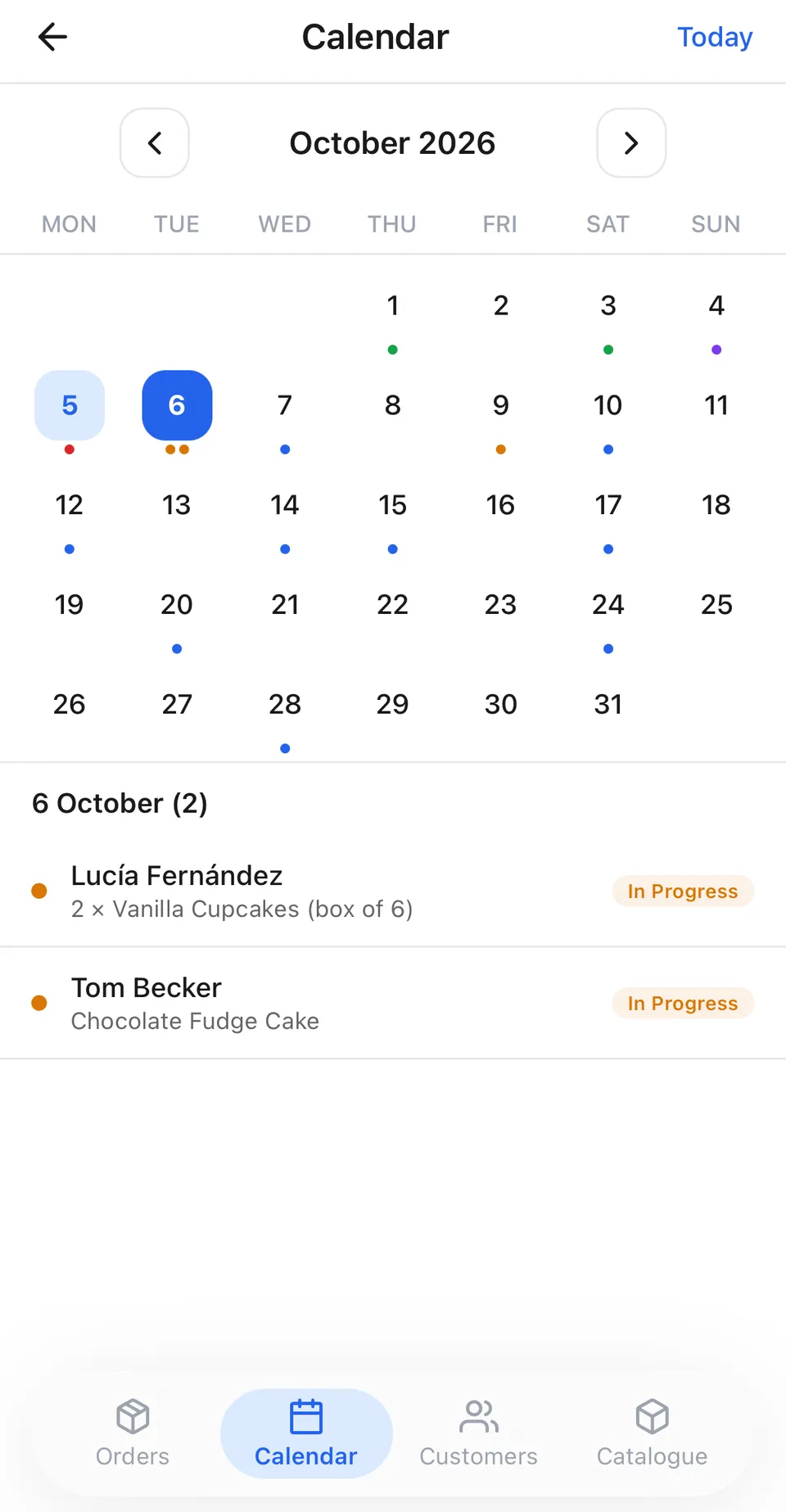
The calendar shows which orders are due on each day. Custom order stages
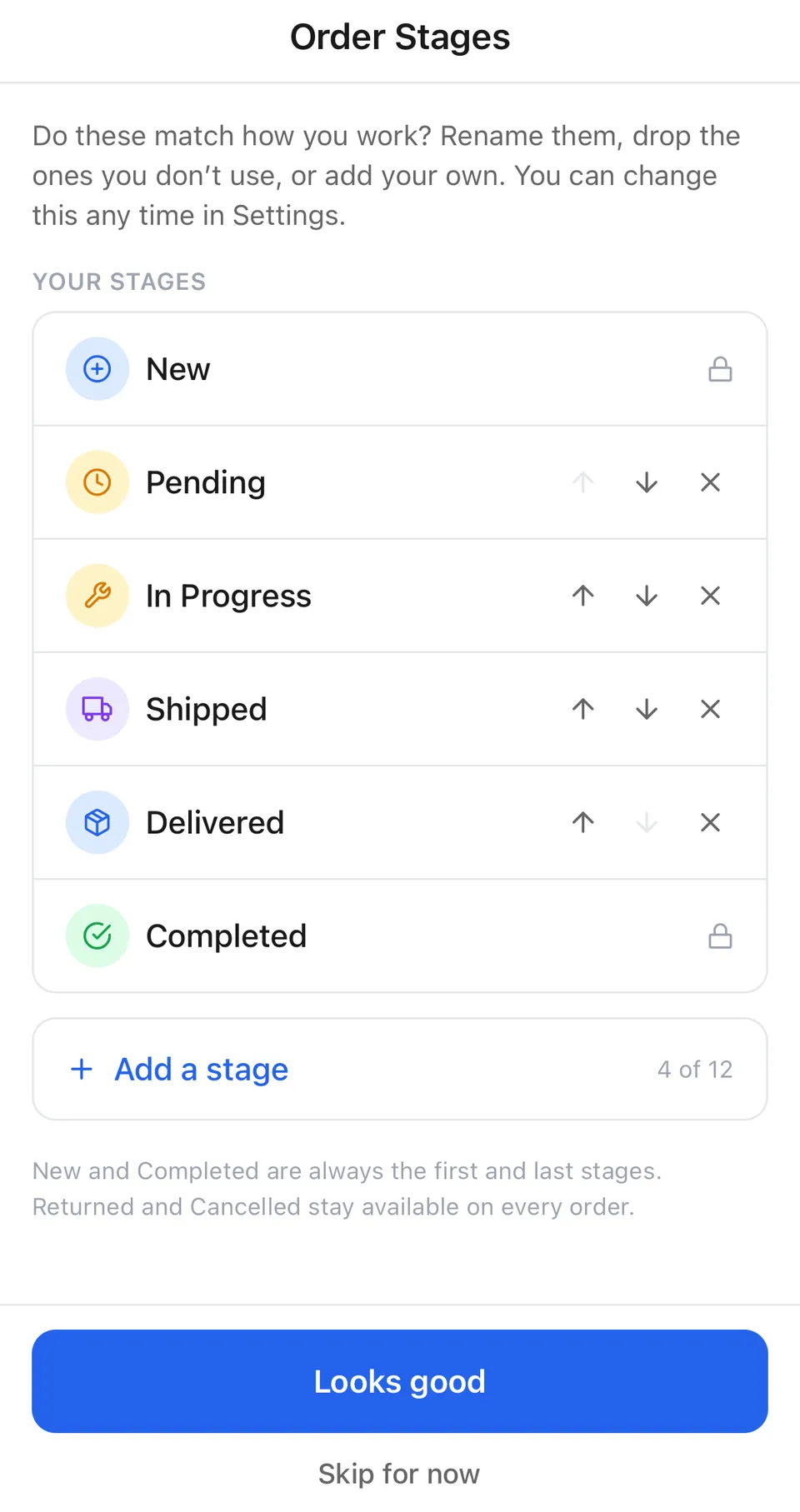
Rename the steps to match how you work. Your customer sees your words. Sales analytics
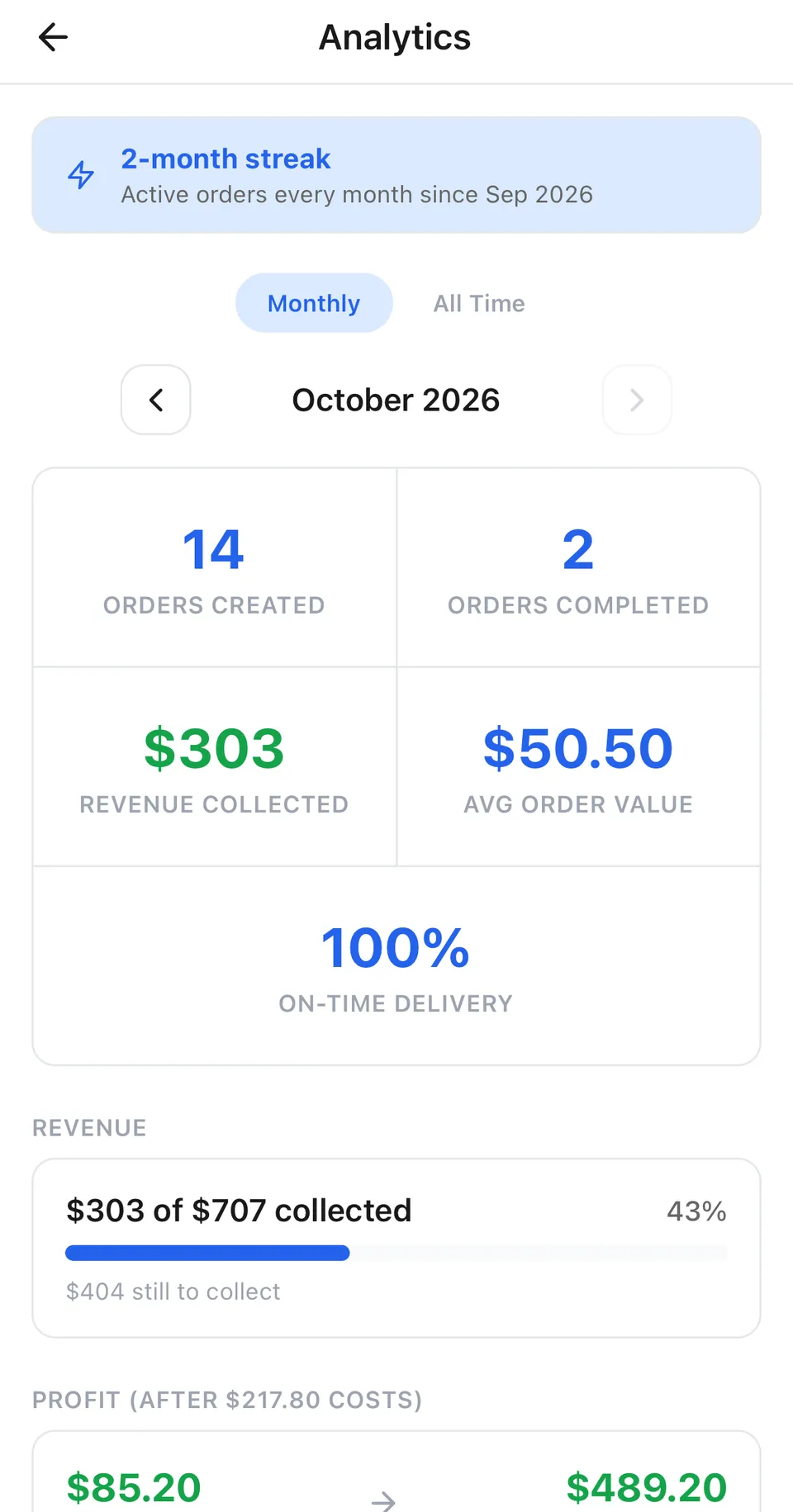
See how many orders you made this month, what you collected and what is still owed. Catalog and stock
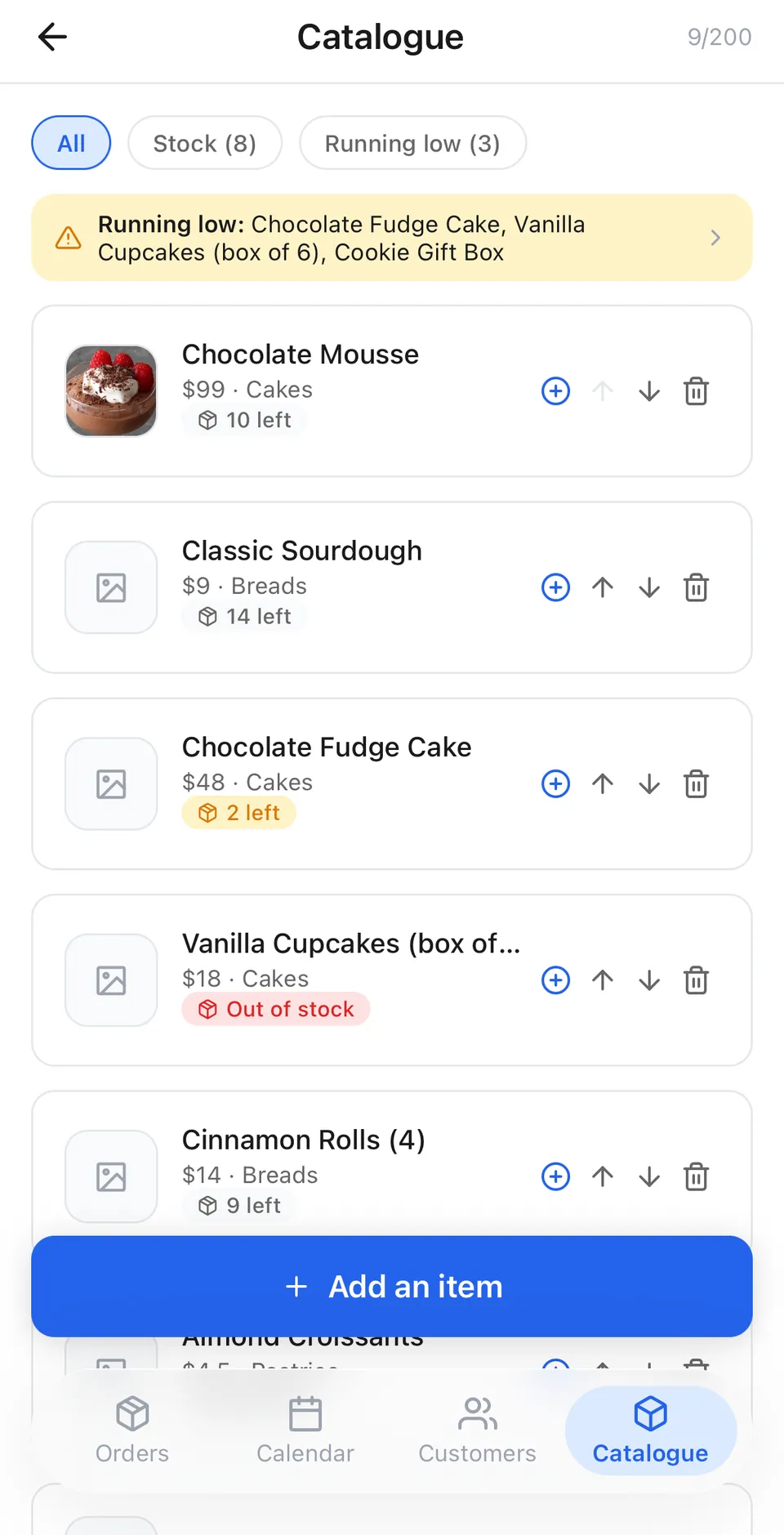
Keep a count of what you have. WISMO tells you when an item is running low. Customer list
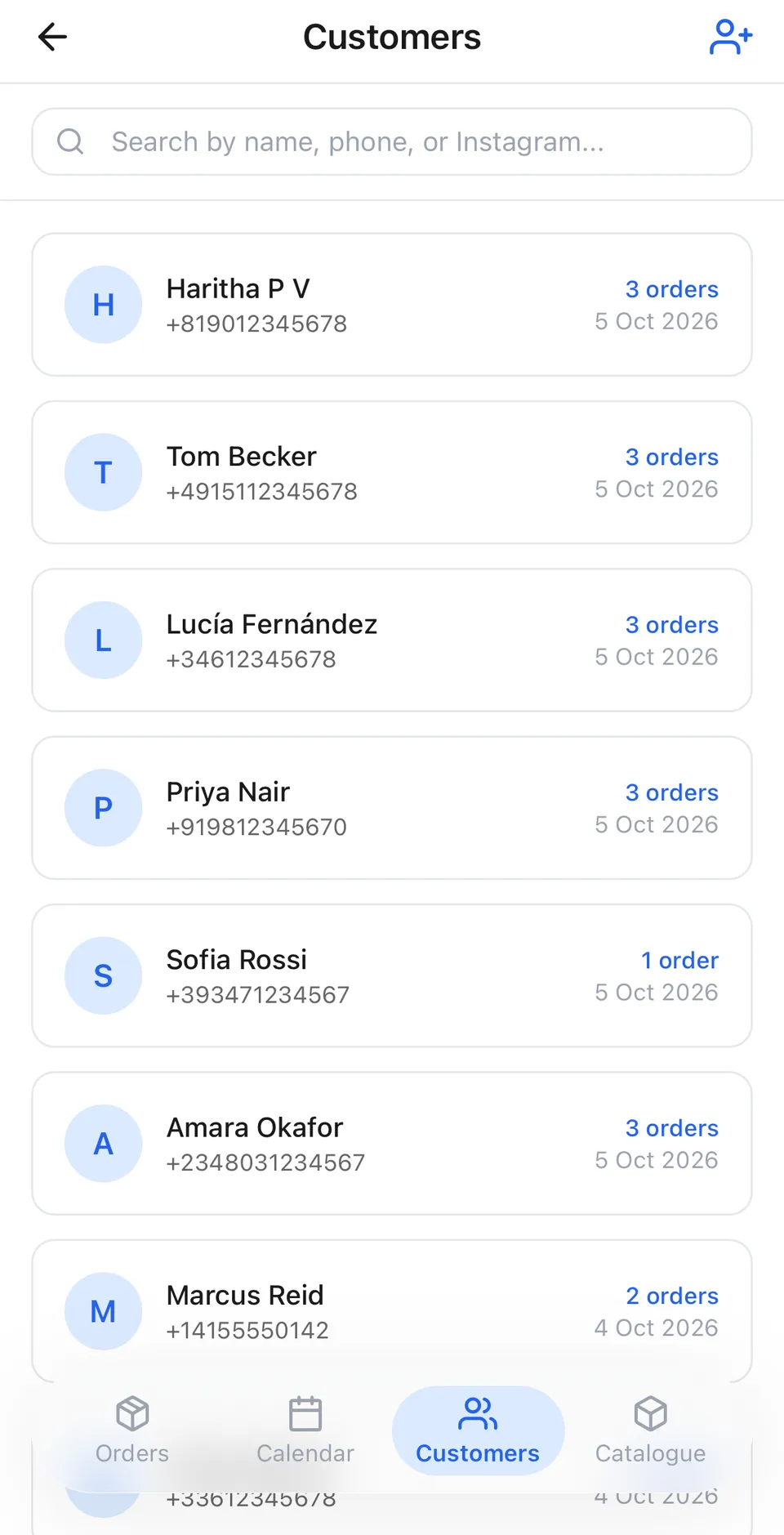
Your customers are saved with their orders, so you do not need a separate address book. Customer profile
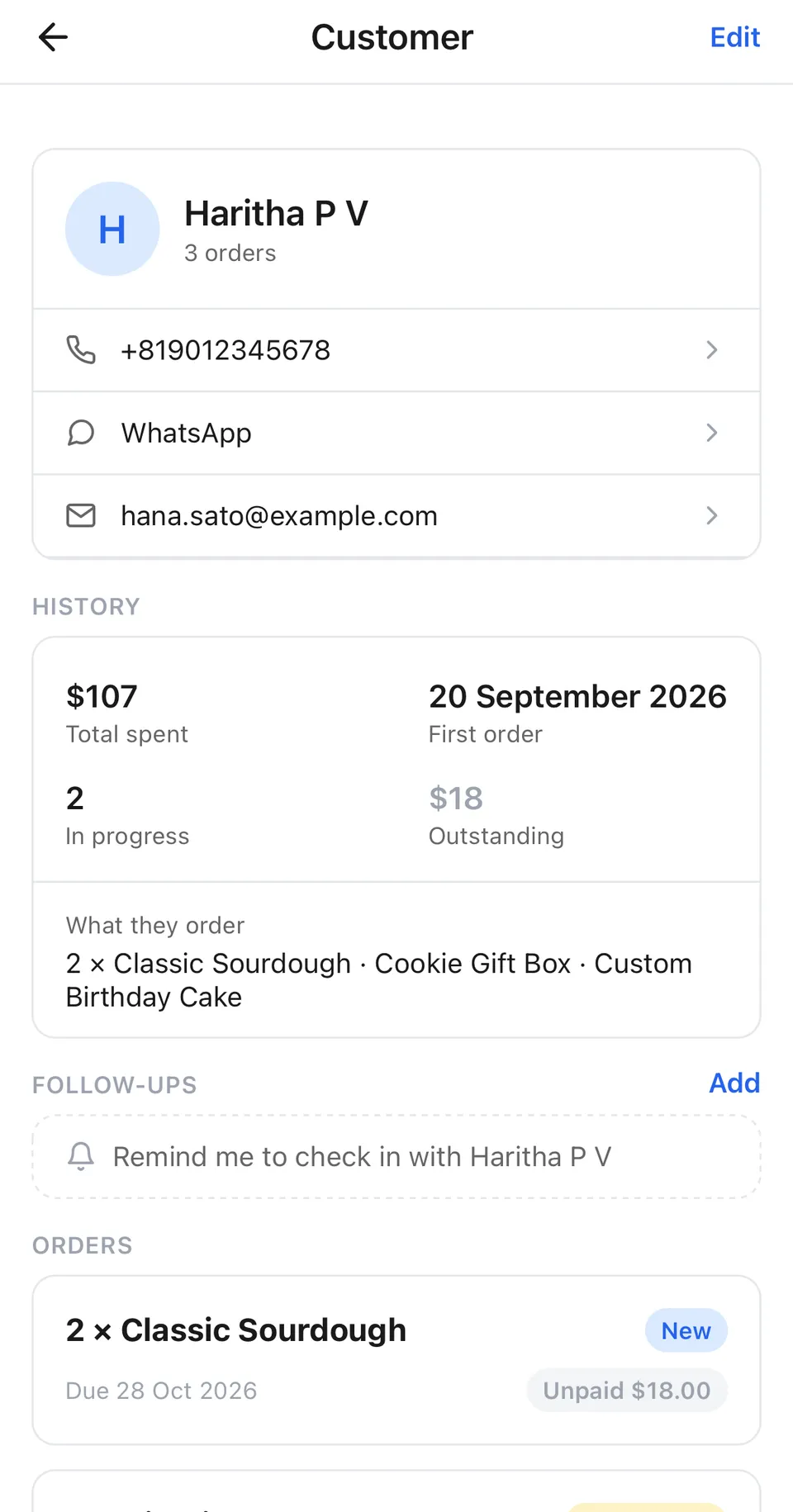
Open a customer to see what they spent, what they owe and what they usually order.
Almost all of this is free
Free covers your first 30 orders with everything above except the items marked Pro. Pro adds unlimited orders, photos, customer emails and your own branding.
Questions about features
What features does WISMO have?
WISMO is an order management app for iPhone and Android. It keeps every order with its items, due date and payments in one list; puts due dates on a calendar with reminders at your local time; records deposits and part-payments and shows who still owes you; keeps a page for every customer; gives every order a tracking link your customer opens in a browser; and includes a product catalog with stock counts, an enquiries inbox and, on Pro, a store page at yourname.wismo.live.
Which WISMO features are free?
Almost all of them. The free plan covers your first 30 orders and includes the calendar, reminders, payment tracking, invoices, CSV export, stats, the customer directory, tracking links, the catalog, stock counts and your public store page. Pro costs $9.99/month. It adds unlimited orders, photos on updates, automatic customer emails, and your own branding in place of “Powered by WISMO” on your tracking and store pages.
Do my customers need to download WISMO?
No. Only the seller uses the app. Your customer opens their tracking link in any browser, with no app to install and no account to create, and sees the order’s current stage, its timeline of updates and what has been paid.
Can I change the order stages?
Yes. You can rename the steps between New and Completed to match how you work, for example “Fabric received”, “Stitching” and “Fitting”. You can keep up to 12 of them. Your customer sees your words on their tracking page.
Does WISMO take payments from customers?
No. WISMO records payments by cash, bank transfer, card and more, and keeps the balance up to date. It does not process payments, and the store page has no cart or checkout. You share your own payment details or link with the customer as you do today.
Is there a web version of WISMO for sellers?
No. Sellers run WISMO from the iPhone or Android app. The only web pages are the ones your customers see: the tracking page for each order and your store page.
Put your next order in WISMO
Free for your first 30 orders. No card needed. On iPhone, Android and the web.