For freelancers

Client project tracking for freelancers

Freelance work is a run of small projects: a product shoot, a logo, a set of edits, each with a brief, a deadline, a deposit and a balance. WISMO keeps every client project in one list on your phone, sends an itemised invoice when you need one, and gives the client a progress link from Brief Agreed to Delivered, so you can stay in the work instead of answering “any update?”.

Updated · Written by Ashish Vijay

Sound familiar?

Why chats and spreadsheets stop working for freelance photographers, designers and other solo service providers

WISMO is built for freelance photographers, designers and other solo service providers who want to stay on top of orders without setting up a complicated online shop.

  • Project management tools want boards, tasks and team members when you only need to know what is due for whom.

  • Clients email, DM and call about the same project, and the agreed scope is in whichever message came first.

  • Deposits, final payments and invoices are tracked in three different places, so an unpaid balance can sit for weeks.

  • Regular clients book similar jobs every month, and you set each one up from scratch.

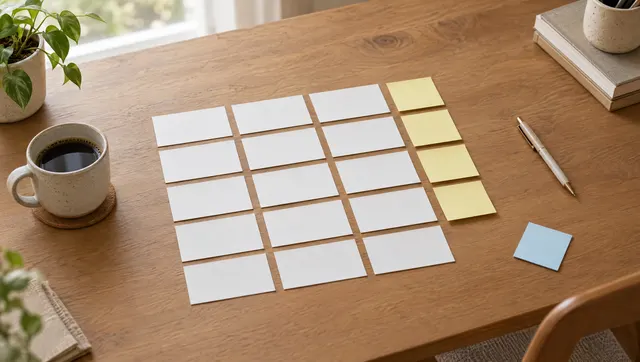
A freelance photographer sorting printed photo proofs on a studio table
Illustrative photo.

How freelancers use WISMO

Your steps, in your own words

Name the stages your project goes through. Your customer sees these exact words on their tracking page, not a general “In progress”.

  1. New
  2. Brief Agreed
  3. Shooting
  4. Editing
  5. Proofs Sent
  6. Delivered
  7. Completed

Three steps, every order

  1. 1

    Create the project with the client, the deliverables as items, the deadline and the agreed price. Put the scope in the description so the client sees what was agreed.

  2. 2

    Take the deposit, then move through stages such as Brief Agreed, In Progress, Proofs Sent and Delivered, adding a note at each sign-off.

  3. 3

    Send the invoice from the project, record the final payment, and use Duplicate Order when a regular client books the same job again.

What you keep with each order

  • The brief and scope
  • Deliverables
  • Deadline
  • Deposit and balance
  • Client contact
Product Photos ×20Editing
Nandi Crafts
Due Oct 21, 2026Advance R1,500 / R3,000
Due in 3 days · 3 viewsUpdate status

From your hands to their phone

You make the project. WISMO keeps your customer in the loop.

  1. 1The work

    A freelance photographer sorting printed photo proofs on a studio table
  2. 2The order, in WISMO

    Product Photos ×20Editing
    Nandi Crafts
    Due Oct 21, 2026Advance R1,500 / R3,000
    Due tomorrow · 3 viewsUpdate status
  3. 3What your customer sees

    Kofi Mensah Photo
    Editing
    Shoot done. Editing the best 20 now. Proofs by Friday.
    Oct 16, 5:10 PM
    No app needed. Opened from a link

Common questions

Is WISMO project management software?

No. There are no task boards, time tracking, proposals or team members. WISMO tracks each client project’s deliverables, deadline, payments and progress, which is what most solo freelancers actually manage.

Do clients get a portal?

They get a link instead of a login. It shows their project’s stage, your notes and what they’ve paid, opens in any browser, and shows only their own project.

Can I send invoices?

Yes. Send an itemised invoice by email from any project, in your currency. It’s a plain invoice, not tax-compliant accounting, so keep using your accounting tool for bookkeeping.

Does it work for services with nothing to ship?

Yes. Most freelance work has no parcel. Leave out the courier link, deliver files or the service the usual way, and mark the project Completed.

How much does WISMO cost?

WISMO is free for your first 30 orders, with no credit card and no time limit. Pro is $9.99/month or $69.99/year for unlimited orders, no WISMO branding, photos on updates and automatic customer emails, and starts with a 7-day free trial. App stores show the price in your local currency.

Do my customers need to download an app?

No. Only you use the WISMO app. Your customer gets a link they open in any browser, with no app to install and no account to create, and it shows where their order is, your latest updates and what has been paid.

Guides you might find useful

Put your next project order in WISMO

Free for your first 30 orders. No card needed. On iPhone and Android.